AutoGLM security: protect phone agents from prompt injection
AutoGLM security starts with a simple rule: a phone agent can read untrusted screens, but it must not let those screens redefine its objective. This guide covers prompt-injection defenses, device-access boundaries, approval checkpoints, and the first response when an AutoGLM run behaves unexpectedly.
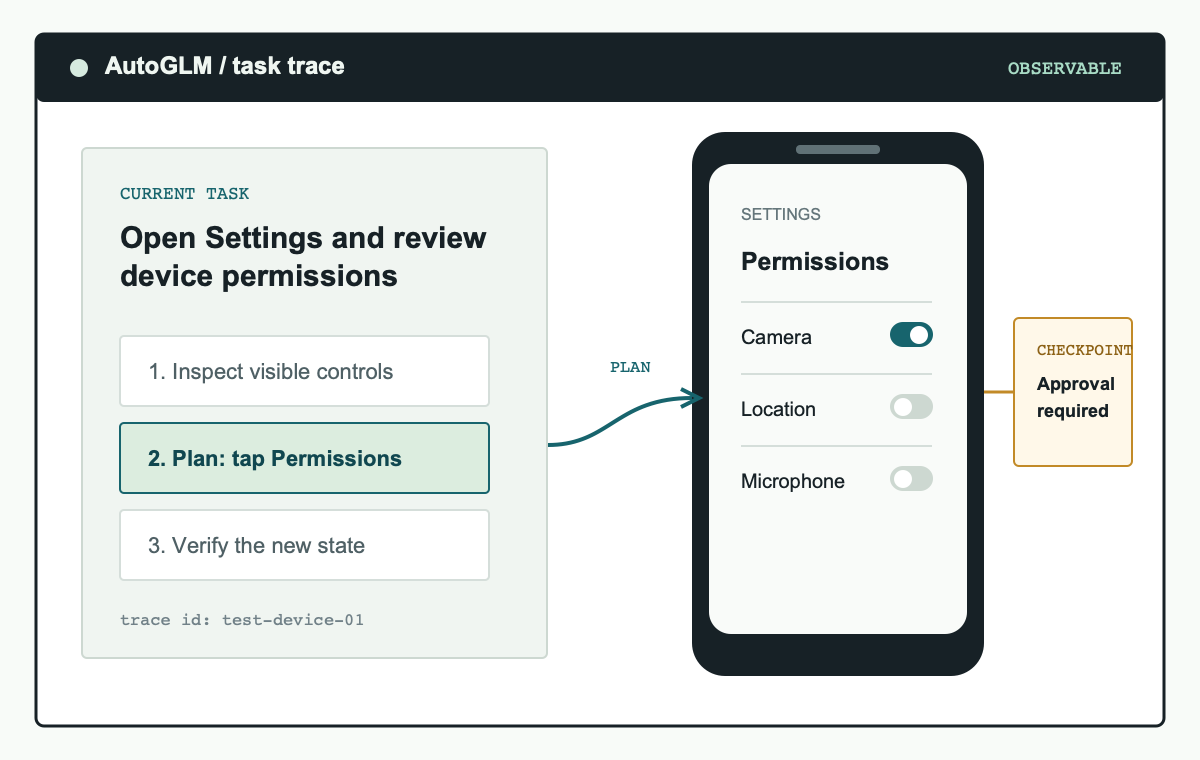
An AutoGLM security boundary keeps device actions observable, limited to the stated task, and reviewable before a sensitive change.
Why AutoGLM security needs an explicit boundary
A phone agent combines screen understanding with device actions. That makes it useful, but it also changes the security model. A page, message, app listing, or document can contain text that attempts to redirect the agent away from the operator's goal. The agent may encounter instructions that look urgent, resemble a system message, or ask it to disclose information. In AutoGLM security terms, those instructions are untrusted data, not new task authority.
The best defense is not a vague request to be careful. An AutoGLM security design separates the operator's original task from content encountered on screen. It restricts the connected device, specifies which apps may be opened, defines an action allowlist, and requires approval for consequential changes. With those constraints, an unexpected instruction becomes something the agent can surface or ignore rather than a command that silently expands the run.
This is defensive guidance, not a vulnerability claim. Public reporting on prompt injection in Android agents shows why supervised deployment matters. It does not establish an AutoGLM CVE or a confirmed compromise of every installation. Treat the topic as a reason to use layered controls from the first test.
AutoGLM security threat model for prompt injection
Prompt injection is content that tries to replace or alter an agent's objective. For a phone agent, it can appear in visible text, a web page, a support chat, an app notification, a shared document, or an image with embedded wording. The risk rises when the agent has broad permissions, access to private accounts, a persistent device session, or an unattended path from reading a screen to submitting an action.
Think about the chain, not just the text. An attacker does not need to break the model to create a harmful result if the agent can freely navigate, copy data, approve its own actions, or connect to a privileged device. AutoGLM security therefore depends on what the agent is allowed to do after it encounters untrusted content. Limit the downstream action set and the impact of a mistaken interpretation.
| Exposure point | AutoGLM security control | Operator check |
|---|---|---|
| Untrusted text on a screen | Keep the task objective fixed and treat displayed instructions as data. | Review any request that changes the planned app, destination, or data scope. |
| Authorized device connection | Use a test device and trusted ADB or HDC connection; revoke unused authorizations. | Confirm the connected device identity before each test session. |
| Sensitive action | Place an approval gate before submission, installation, permission change, or payment. | Check the final screen, recipient, account, and effect before approving. |
| Unexpected action trace | Stop the run and preserve the evidence for review. | Reduce the next task instead of granting more access. |
AutoGLM security controls to set before the first run
Set the security boundary before connecting a model to a phone. A test device or emulator is the preferred starting point because it lets you control installed apps, account state, network access, and recovery. Do not begin on a personal phone, a production administrator account, or a device that holds a password manager, private messages, or financial applications.
- Choose a dedicated environment. Use a separate device, emulator, or isolated device profile. Keep only the applications and accounts needed for the test.
- Limit connection access. For Android, authorize ADB only from a trusted host. For HarmonyOS, use the equivalent trusted HDC setup. Do not expose debugging services to the public internet.
- Write the allowed task. Specify the starting app, intended outcome, allowed actions, and a stop condition. An AutoGLM security policy should be concrete enough for a reviewer to tell when the plan diverges.
- Separate read from write. Start with observation and navigation tasks. Treat sending data, changing settings, installing software, purchasing, or granting a permission as a separate approval state.
- Keep an evidence trail. Retain the initial prompt, screenshots, action trace, device identifier, and approval record. This helps investigate a failed run without recreating it on a less-controlled device.
These controls are useful even when no attack occurs. They make ordinary failures easier to diagnose because the operator can see the task, device state, and action history. AutoGLM security is therefore both a protection measure and a way to make model evaluation more reliable.
Use approval gates for sensitive AutoGLM actions
Not every screen transition needs a human review, but every consequential transition should have one. An approval gate is a clear pause between the agent proposing an action and the device carrying it out. The operator should see enough context to decide whether the action still matches the original task and whether it affects the correct app, account, recipient, or device setting.
Do not disable confirmation just to improve a completion metric. A short task that stops at the correct boundary is a stronger AutoGLM security result than a longer task that crosses an account or data boundary without review. Preserve manual takeover for login and verification-code steps, and explicitly document the actions that the agent must never perform.
Respond to unexpected AutoGLM behavior
When an AutoGLM run behaves unexpectedly, do not continue the workflow to see what happens. Stop the task, disconnect remote debugging if appropriate, and record the last known screen and requested action. The immediate objective is to contain the effect and preserve enough context to understand the divergence. Avoid entering credentials, approving a new permission, or retrying the same task with broader access.
- Terminate the current task and disconnect the device from remote access if the action could continue.
- Save the original task prompt, recent screenshots, action trace, and the device or emulator state.
- Review whether untrusted content appeared on the screen before the plan changed.
- Revoke temporary device authorization, access tokens, or test credentials that might have been exposed.
- Re-run only a smaller, reversible test after the source of the unexpected behavior is understood.
- Report a reproducible concern through the official project issue or security-contact process without posting secrets or exploit details.
This process keeps AutoGLM security practical. It focuses on recovery, evidence, and reduced scope instead of on speculation. A clear stop path is one of the most valuable controls in any phone-agent deployment.
AutoGLM security FAQ
Is prompt injection the same as a confirmed AutoGLM vulnerability?
No. Prompt injection describes a general risk for systems that read untrusted content and act on it. Evaluate any specific claim against official project information and a reproducible test. AutoGLM security controls are still worthwhile because they reduce the impact of unexpected content or model behavior.
What is the safest first AutoGLM task?
Use a test device and choose an observable, reversible task such as opening a named application, navigating to a public screen, and reporting visible information. Stop before changing any setting or submitting data.
Should an AutoGLM agent receive passwords or MFA codes?
No. Keep credential entry, one-time codes, account recovery, and identity verification under direct human control. Design the workflow to pause at those screens.