AutoGLM-Phone-9B vs Multilingual: choose for the screen your agent reads
AutoGLM-Phone-9B vs Multilingual is a practical deployment decision, not a benchmark contest. Both models work with the same phone-agent framework. The useful question is whether the interfaces, prompts, and system dialogs in your workflow are primarily Chinese, primarily English, or genuinely mixed-language.
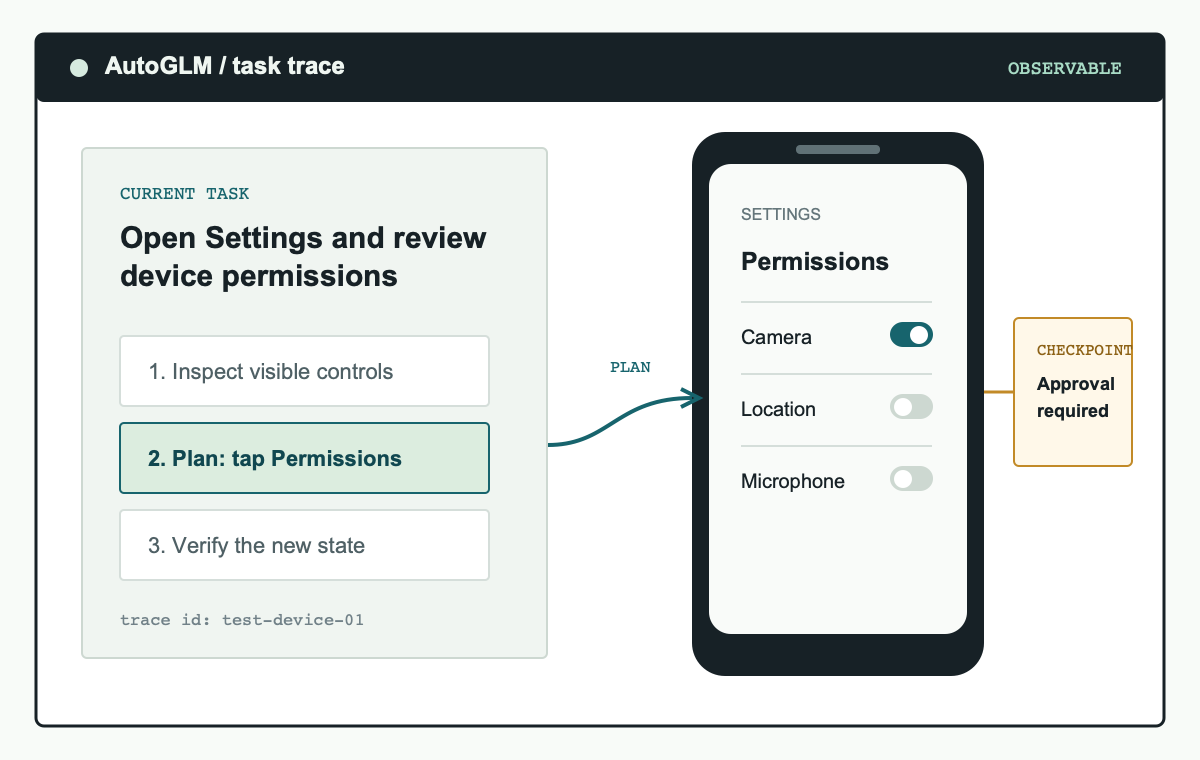
A useful comparison begins with a controlled device, representative screens, and a record of each action the model proposes.
AutoGLM-Phone-9B vs Multilingual: the short answer
For Chinese-language mobile applications, AutoGLM-Phone-9B is the natural first model to evaluate. The official project positions the base model for Chinese mobile apps. For English screens, other language content, or applications that switch locale, begin with AutoGLM-Phone-9B-Multilingual. The comparison is about compatibility with what the agent can see and what the operator asks it to do.
Do not choose a model from the name alone. In an AutoGLM-Phone-9B vs Multilingual evaluation, the actual screen matters: fonts, abbreviated labels, icons, error states, embedded web views, and system permission dialogs can all change a task. The best result is the model that reliably identifies the intended control, preserves the original task goal, and stops at the correct boundary on your own representative devices.
Do not infer universal language support from one successful demo. A model can complete a simple screen transition and still struggle with a different locale, application layout, or modal dialog. Treat model selection as an operational test with repeatable evidence.
What stays the same in AutoGLM-Phone-9B vs Multilingual
Both choices use the Open-AutoGLM phone-agent framework. Android workflows connect through Android Debug Bridge, while HarmonyOS workflows use HDC. The agent receives a task, reads the visible interface through a vision-language model, plans an action, and applies that action through the connected device tooling. The same deployment hygiene applies to either model: authorized test devices, bounded tasks, screenshots or traces, and a person in control of sensitive steps.
The two models also share the same limits. Neither model should be treated as a guarantee of safe automation across every app state. Authentication, MFA, account recovery, payments, credential entry, and data submission remain human checkpoints. An AutoGLM-Phone-9B vs Multilingual test should score correct stops and manual handoffs separately from task completion so that an unsafe action is never mistaken for a success.
AutoGLM-Phone-9B vs Multilingual by interface language
Language is more than the language of the user's prompt. Consider the task instruction, every label the model must read, the app's runtime locale, the operating-system dialogs, and content loaded inside a web view. A Chinese-language task can still fail if an English system permission sheet appears at a critical step. Likewise, an English application can contain Chinese product names, mixed-language search results, or a localized checkout flow.
| Decision factor | AutoGLM-Phone-9B | AutoGLM-Phone-9B-Multilingual |
|---|---|---|
| Official positioning | Designed for Chinese mobile application scenarios. | Intended for English scenarios and applications containing other languages. |
| Best first test | A task whose prompts, labels, and primary app content are Chinese. | A task with English labels, multiple languages, or changing locale. |
| Representative screens | Chinese navigation, search, error, and system permission screens. | English and mixed-language navigation, error, and permission screens. |
| Decision evidence | Run the same small, reversible task set and compare element selection, task fidelity, unexpected actions, manual takeovers, and correct stops. | |
The most useful AutoGLM-Phone-9B vs Multilingual comparison keeps all other variables constant. Use the same device image, application version, task prompt, model endpoint configuration where applicable, and stopping rule. Changing several variables at once produces an interesting demo but not a decision a team can repeat.
Build a fair AutoGLM-Phone-9B vs Multilingual test set
A focused test set is better than a large uncontrolled benchmark. Start with ten to fifteen small tasks that do not require personal accounts, credentials, payments, or destructive actions. Each task should have a clear expected result and a screen you can inspect afterwards. Include the ordinary path, a screen with similar controls, an empty or error state, and a modal dialog that forces the agent to decide whether it should pause.
- List the screens the agent will actually encounter. Include app labels, system prompts, embedded browser content, and any locale switching users can trigger.
- Write task prompts in the expected user language. For a mixed-language workflow, include the realistic mix rather than translating everything into one language for the test.
- Set the same boundary for both runs. Define allowed applications, actions, a stop condition, and any action that requires approval.
- Capture evidence. Save the prompt, screenshots, action trace, result, manual takeover, and unexpected action for each run.
- Review failure categories. Separate screen-reading errors, planning errors, device-control errors, and safe refusals or stops before declaring one model better.
When you review the AutoGLM-Phone-9B vs Multilingual evidence, look for consistency rather than one highest score. A model that takes an extra safe pause may be the better choice for a workflow where the next screen can affect a real account. A model that reads every label correctly but cannot control the test device is not a language-model failure; it is a deployment problem that needs separate debugging.
Interpret AutoGLM-Phone-9B vs Multilingual results safely
Use clear success criteria. A successful run reaches the stated result, operates only within the allowed application and action scope, and stops before any out-of-bounds change. An incomplete run that pauses at a sensitive decision can be the correct result. Marking every non-completion as failure will push an evaluation toward risky autonomy instead of dependable supervised operation.
Record the failure mode in plain language. For example, distinguish "could not read the English error message" from "device connection did not accept the tap" or "stopped correctly before submitting a form." This record helps a team decide whether AutoGLM-Phone-9B vs Multilingual is a language choice, a task-design issue, or a device setup issue.
Deployment choices after the comparison
Once you choose a model, run it first on a controlled device or emulator. Keep the task scope narrow, restrict device authorization to trusted hosts, and preserve human approval for account, data, or payment actions. Model selection does not remove the need for a deployment boundary. It simply gives the phone agent a better starting point for the interfaces it is expected to understand.
For teams with multiple locales, do not assume one AutoGLM-Phone-9B vs Multilingual decision will remain permanent. Re-run the small evaluation set after a major app redesign, a locale expansion, a changed device image, or an updated model endpoint. The comparison becomes useful when it is a repeatable release check rather than a one-time assertion.
Read the AutoGLM deployment guide for phone agent setup. For the model-specific path, see the AutoGLM-Phone-9B deployment guide. For confirmation gates, task scope, and untrusted on-screen content, see the AutoGLM security guide.
AutoGLM-Phone-9B vs Multilingual FAQ
Which model should I use for a Chinese app with English system dialogs?
Test the actual workflow with both candidates when system dialogs are essential to the task. Start from the base model's documented positioning, but make the final decision from representative screens and action traces.
Can I compare the models with a production account?
Do not use production accounts for the first comparison. Use a test device, a dedicated profile, public content, and reversible tasks so unexpected actions do not affect real data or users.
Does a higher completion rate settle the comparison?
No. Review unexpected actions, manual takeovers, and correct stops as well. A model that reaches an end state by taking an unsafe action is not a better production choice.